Real-time order feed with status tracking for your kitchen staff.
Overview
The Kitchen Display System (KDS) provides a real-time view of all incoming orders. It replaces paper tickets with a digital display that your kitchen staff can use on any tablet, laptop, or monitor.
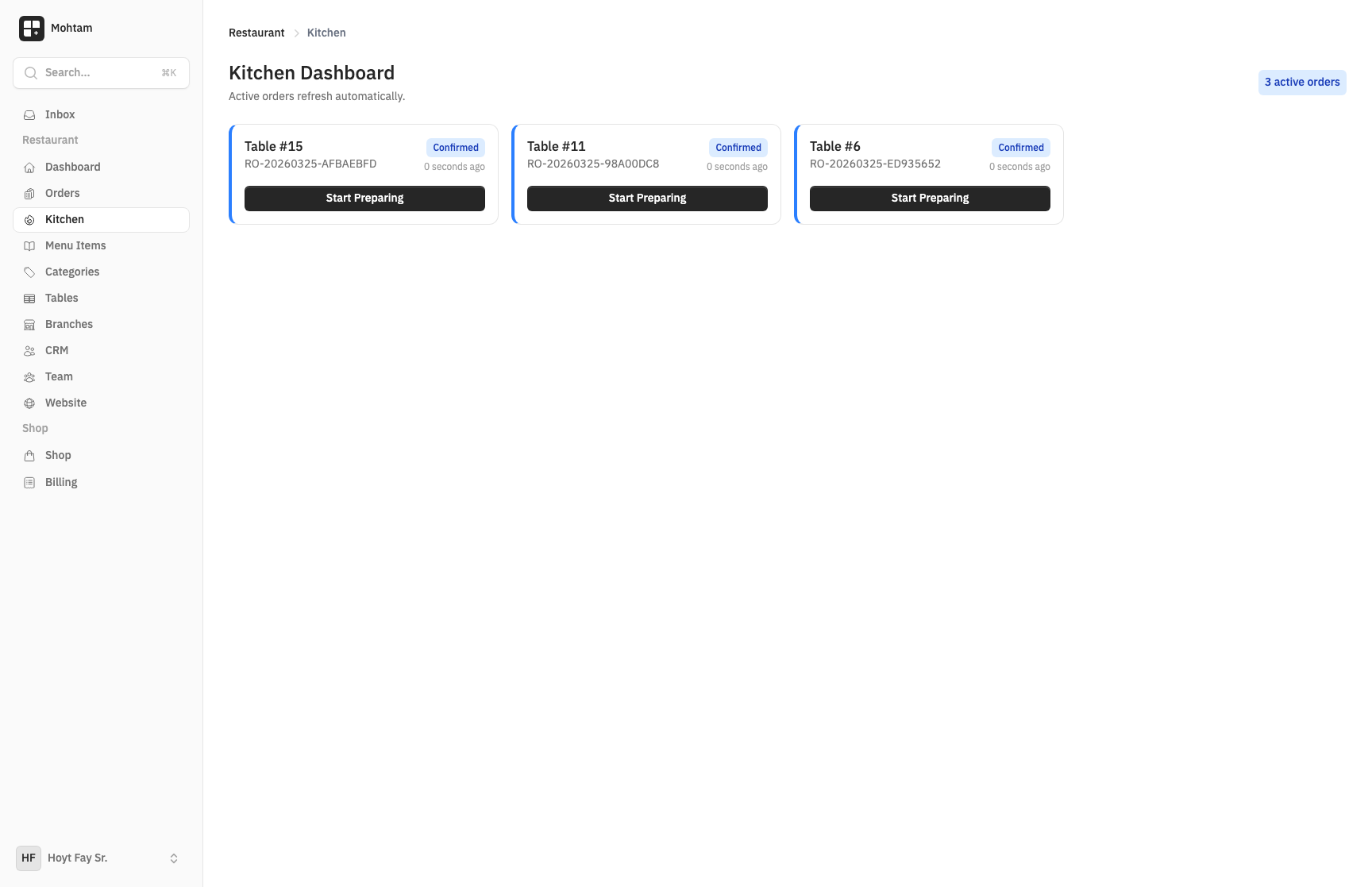
Accessing the KDS
Navigate to the Kitchen Display section from your restaurant dashboard. The display is designed to run full-screen on a dedicated device in your kitchen. It works on any screen size and auto-refreshes to show new orders instantly.
Order Status Progression
Each order moves through four stages, displayed as color-coded cards:
- Confirmed — The order has been placed and is waiting to be started. These cards appear prominently so staff can see new orders immediately.
- Preparing — The kitchen has started working on the order. Tap an order card to move it to this status.
- Ready — The order is complete and waiting to be picked up or delivered to the table.
- Served — The order has been delivered to the customer. Served orders are cleared from the active display.
Color-Coded Status Cards
Each status has a distinct color so kitchen staff can scan the board quickly:
- New/confirmed orders stand out with attention-grabbing colors
- Orders in preparation are visually distinct from waiting orders
- Ready orders are highlighted so servers know what to pick up
Auto-Refresh
The KDS updates automatically in real time. When a customer places a new order via QR code or a cashier creates a manual order, it appears on the kitchen display within seconds. No manual refreshing is needed.
Best Practices
- Mount a dedicated tablet or monitor in the kitchen for the KDS.
- Train staff to update order statuses as they progress — this keeps the display accurate and helps servers know when to deliver.
- Use the KDS alongside order notifications to ensure no order is missed during busy periods.