Manage customer profiles, view order history, and track contact requests.
Customer Management
The built-in CRM gives you a centralized view of everyone who interacts with your business — whether they place an order, submit a contact form, or sign up through your site.
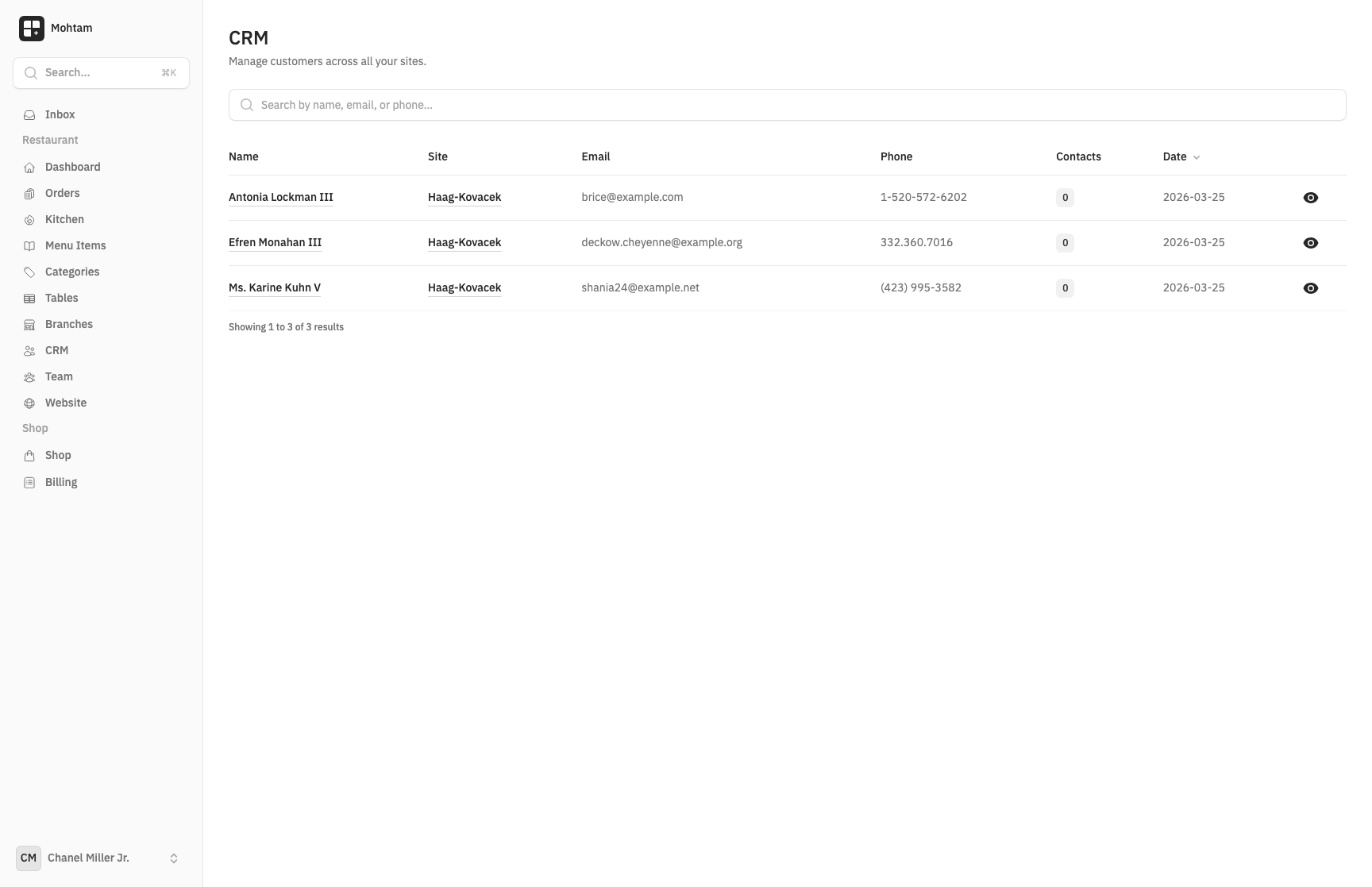
Customer List
Navigate to Customers to see a searchable, sortable list of all your customers. The list displays:
- Customer name
- Email address
- Phone number
- Total number of orders
- Date of last activity
Use the search bar to quickly find customers by name, email, or phone number.
Customer Profiles
Click on any customer to open their profile. Each profile contains:
- Contact Information — Full name, email address, and phone number.
- Order History — A complete list of all orders placed by this customer, with status, total, and date. Click any order to view its full details.
- Contact Requests — Any form submissions or inquiries linked to this customer.
- Notes — Add internal notes about the customer for your team's reference.
Order History
The order history tab on a customer profile shows every transaction associated with that customer. This helps you:
- Identify your most valuable customers
- Track purchasing patterns
- Resolve support inquiries quickly by referencing past orders
Contact Requests
When a visitor submits a contact form on your site, the system automatically links the submission to an existing customer profile if the email address matches. This gives you a unified view of all interactions with each customer, combining both purchases and inquiries in one place.
New contact submissions from unknown email addresses create a new customer record automatically.