Getting Started with Shop
Set up your online store and start selling products in minutes.
Prerequisites: Your account type must be set to Shop. This is configured when you first create your account or by contacting support.
What Is a Shop Account?
A Shop account turns your workspace into a fully functional online store. You can list physical goods, digital products, and services — complete with inventory tracking, order management, and integrated payment processing.
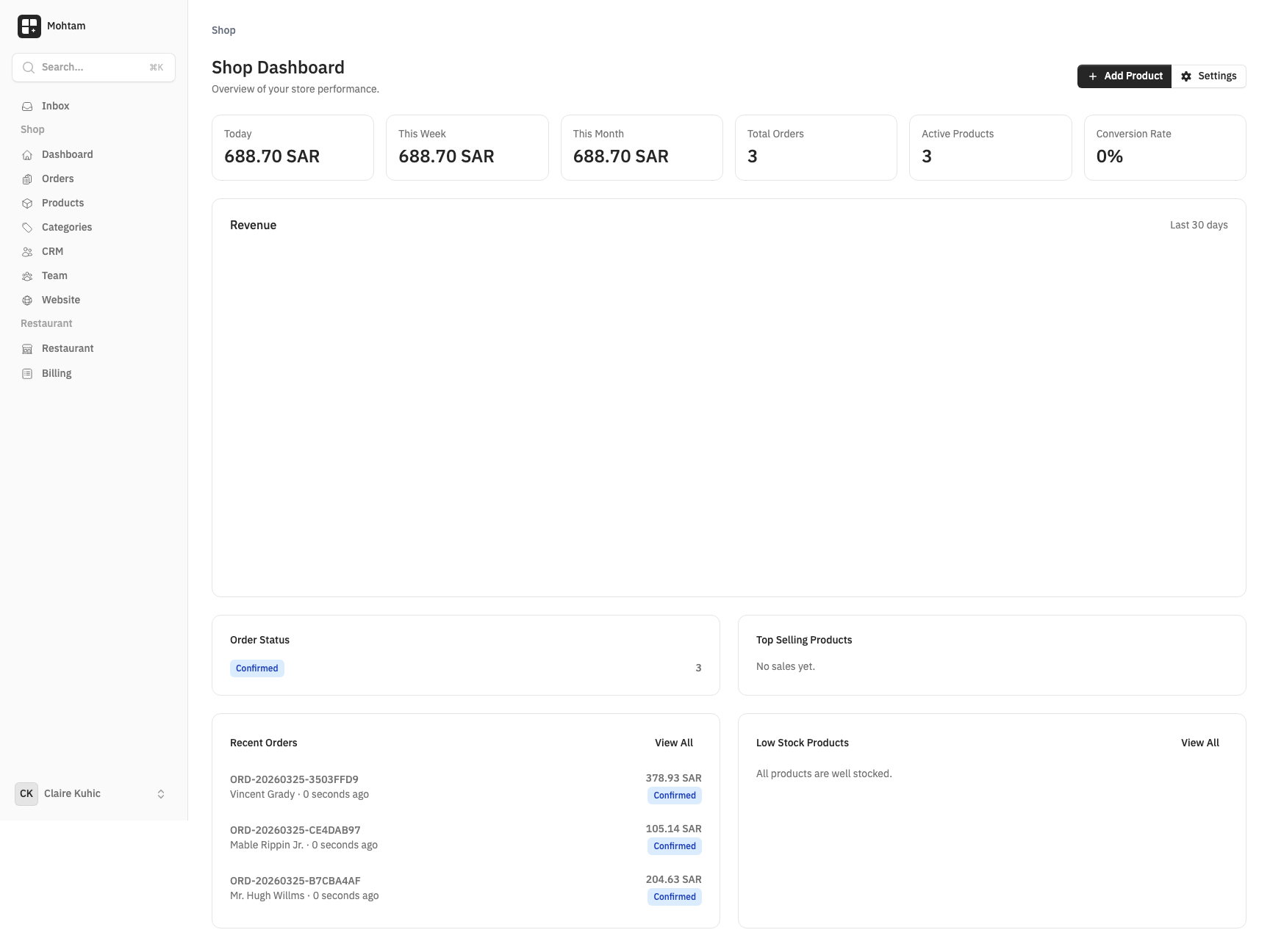
Setting Up Your Store
After selecting Shop as your account type during registration, you will be taken to your dashboard. From there:
- Configure your shop — Go to Shop Settings to set your store name, currency, tax rate, and shipping preferences.
- Add categories — Organize your catalog by creating product categories before adding products.
- Create products — Add your first product with images, pricing, variants, and stock quantities.
- Set up payments — Connect your Tap payment gateway by entering your API keys in Shop Settings.
- Publish your store — Once everything looks good, your store is live and ready to accept orders.
Core Features
- Products & Variants — Create products with multiple variants (size, color) and independent stock tracking.
- Categories — Organize products into a hierarchical category structure.
- Orders & Payments — Track orders through their full lifecycle from pending to completed.
- Inventory Management — Monitor stock levels, set low-stock alerts, and control out-of-stock behavior.
- Customer Management — View customer profiles and order history in the shared CRM.
- Payment Processing — Accept payments securely through Tap with automatic order confirmation.
Your store URL is available immediately and can be customized with a custom domain from Shared Features > Custom Domains.