Manage your order lifecycle from checkout to delivery, with integrated payment processing.
Prerequisites: To accept online payments, you must configure your Tap payment gateway keys in Shop Settings. Without keys, only manual/cash orders are possible.
Order Lifecycle
Every order moves through a series of statuses:
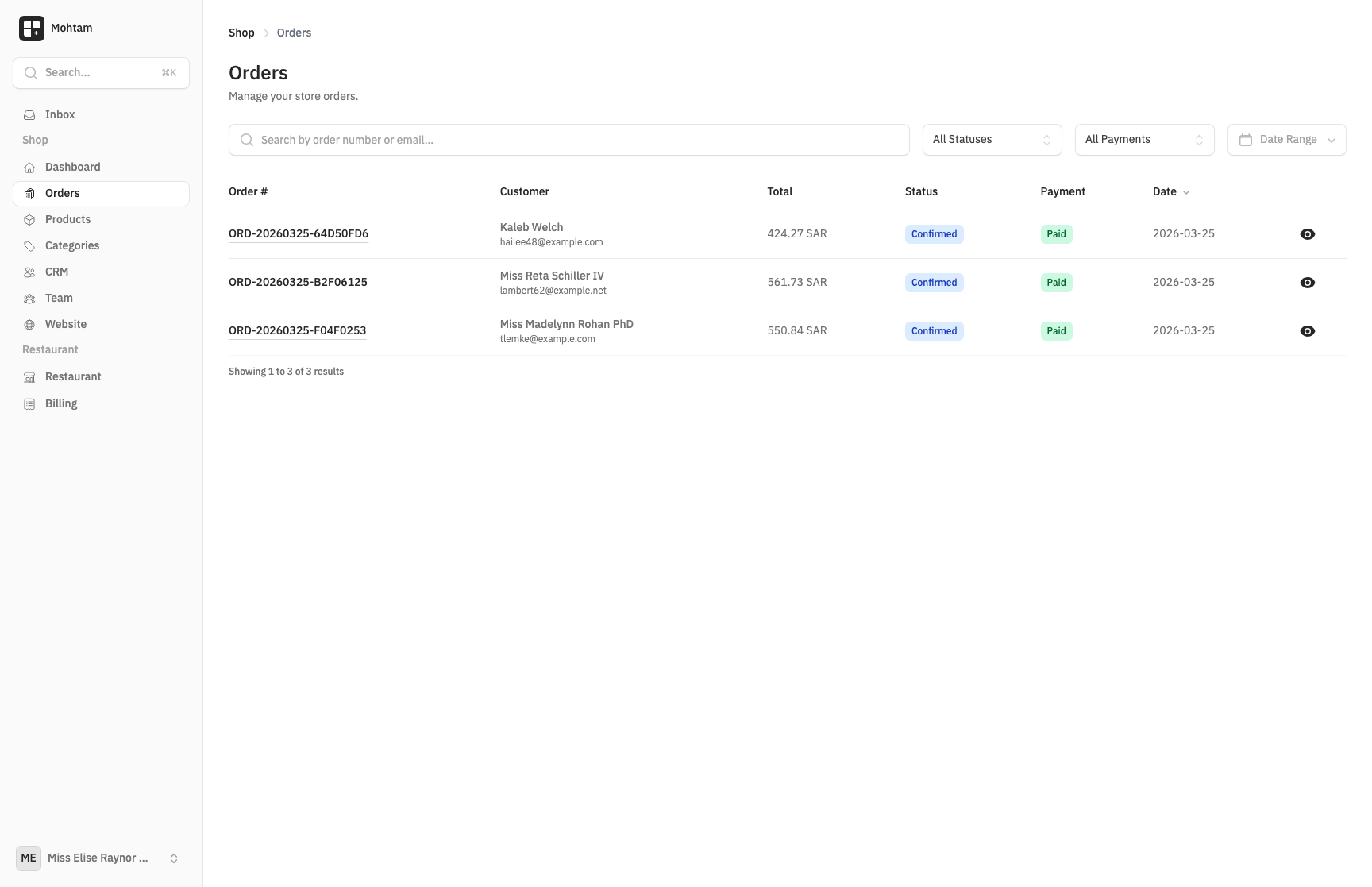
- Pending — The order has been placed but payment has not been confirmed.
- Confirmed — Payment received and the order is verified.
- Processing — The order is being prepared for shipment.
- Shipped — The order has been dispatched. A tracking number can be added at this stage.
- Delivered — The shipment has reached the customer.
- Completed — The order is finalized and closed.
You can update order statuses manually from the order detail page. Each status change is timestamped for your records.
Payment Processing
Payments are processed through Tap, a payment gateway supporting credit cards, debit cards, and local payment methods. To enable payments:
- Go to Shop Settings > Payment Gateway.
- Enter your Tap Public Key and Secret Key.
- Save your settings.
Once configured, customers can pay at checkout and the order status automatically moves to Confirmed upon successful payment.
Order Details
Each order record includes:
- Customer information — Name, email, phone number, and shipping address.
- Line items — Products, quantities, variant selections, and individual prices.
- Order totals — Subtotal, tax, shipping cost, and grand total.
- Payment status — Whether the payment succeeded, failed, or is pending.
Shipping Tracking
When updating an order to Shipped, you can enter a tracking number and carrier name. This information is stored on the order for reference.
Cancellations and Refunds
Orders can be cancelled before they are shipped. To cancel an order, open the order detail page and select Cancel Order. Stock quantities are automatically restored for cancelled orders when inventory tracking is enabled. Refunds are processed through your Tap dashboard.