Invite team members, assign roles, and manage permissions.
Tip: Team members can be scoped to specific sites or restaurant branches for granular access control.
Collaborating with Your Team
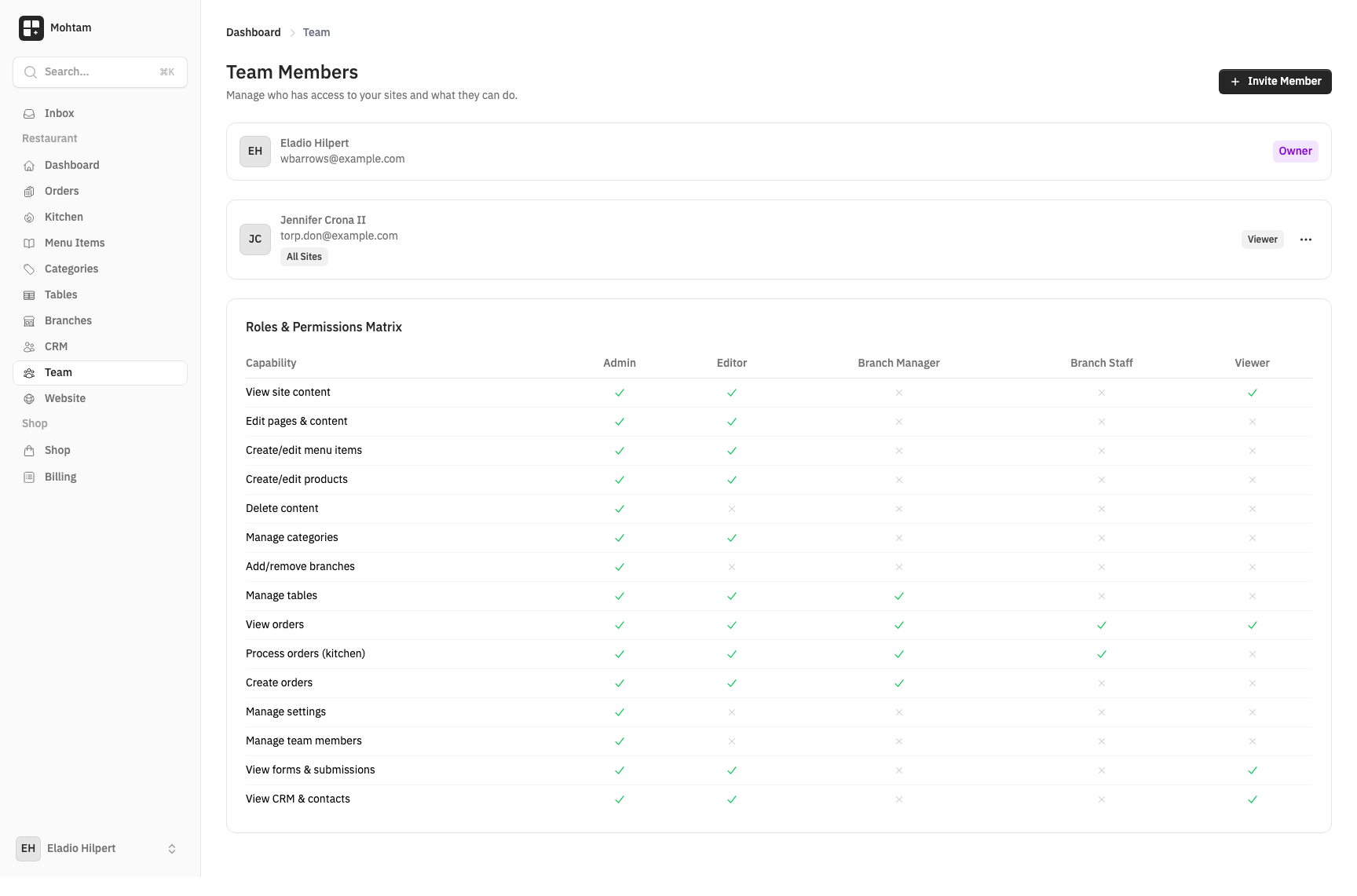
Team management lets you invite others to your workspace so you can collaborate on content, orders, and store operations. Each team member gets their own login and permissions based on their assigned role.
Inviting Members
To invite a new team member:
- Go to Settings > Team.
- Click Invite Member.
- Enter the person's email address and select a role.
- Click Send Invitation.
The invitee receives an email with a link to join your workspace. If they do not already have an account, they will be prompted to register first.
Roles and Permissions
There are four roles available:
| Role | Description |
|---|---|
| Owner | Full access to everything including billing, team management, and danger zone settings. Only one owner per workspace. |
| Admin | Full access to content, orders, and settings. Cannot manage billing or transfer ownership. |
| Editor | Can create and edit content, manage products, and process orders. Cannot access settings or team management. |
| Viewer | Read-only access to the dashboard, content, and orders. Cannot make any changes. |
Roles are assigned at the time of invitation and can be changed later by the Owner or an Admin.
Removing Members
To remove a team member:
- Go to Settings > Team.
- Find the member you want to remove.
- Click the options menu and select Remove.
Removed members immediately lose access to the workspace. Their past activity and contributions remain intact.